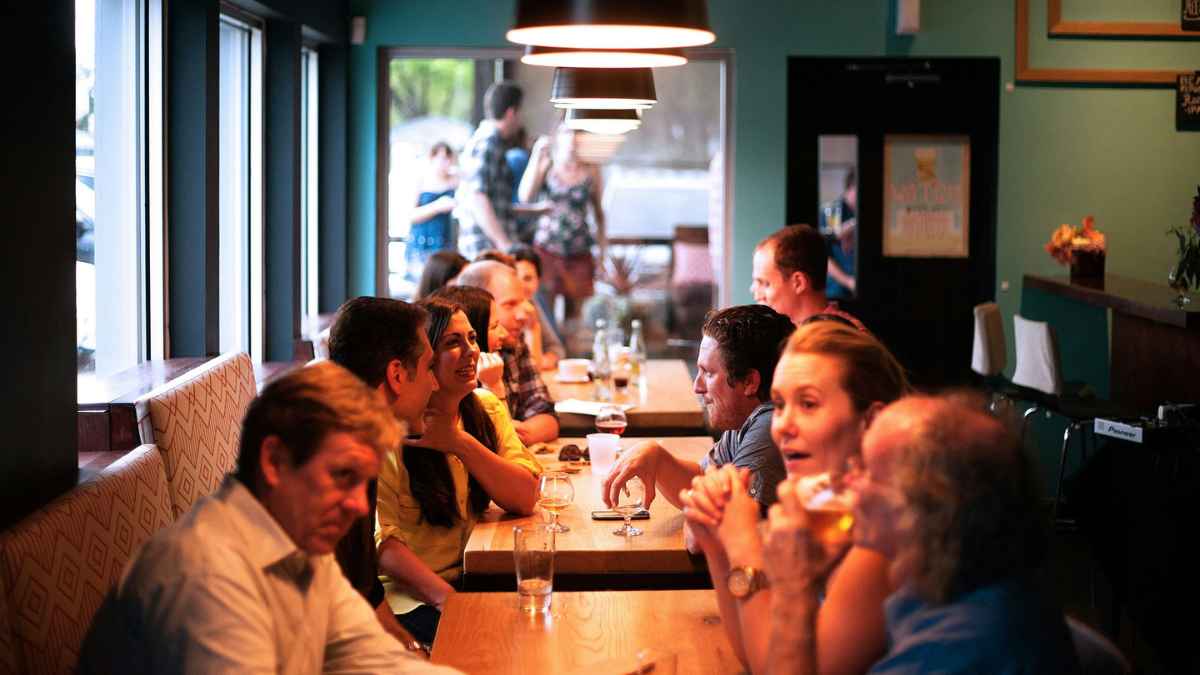

Pay-at-table is any technology that lets restaurant guests settle their bill directly at their table, without handing a credit card to a server or walking to a register. The guest interacts with a device (their own phone, a tablet on the table, or a handheld terminal brought by the server), views the check, adds a tip, pays, and is done. The server never leaves the floor to run a card at a stationary POS terminal.
For restaurant owners, pay-at-table matters because of what it changes operationally: checkout times drop from 10–15 minutes per table to 1–2 minutes. Servers spend less time on payment logistics and more time on hospitality. Tables turn faster during peak hours. Tips increase through digital prompts. And guests leave with a better last impression of the meal, because the final interaction was fast and frictionless rather than a drawn-out wait.
This guide covers how pay-at-table works, the different types of technology available, the measurable benefits, common concerns from operators, and how to decide whether it's right for your restaurant.
How pay-at-table works
The core idea is the same across all pay-at-table systems: move the payment process from a back-of-house terminal to the table itself. The specific flow depends on which type of technology you use.
The traditional checkout process (without pay-at-table)
- Guest signals they're ready for the check.
- Server walks to the POS, prints the check, and delivers it to the table.
- Guest reviews the check and places a credit card (or multiple cards) on the table.
- Server picks up the card(s), walks back to the POS, and runs each one.
- Server returns with receipts for signing.
- Guest writes in tip, signs, and leaves.
This process involves 4–5 server trips between the table and the POS station and takes 10–15 minutes for a single-payment table. For a group splitting the bill across multiple cards, it can easily take 15–20 minutes.
The pay-at-table checkout process
- Guest interacts with a payment device at the table (scans a QR code, uses a tablet, or taps a handheld terminal).
- Guest views the itemized check, adds a tip, and pays.
- Done.
The server's involvement ranges from zero (with QR-based systems where the guest self-serves entirely) to minimal (with handheld terminals where the server brings the device to the table but the guest completes the transaction). Either way, the multi-trip cycle to the POS station is eliminated.
The four types of pay-at-table technology
Not all pay-at-table solutions work the same way. There are four distinct approaches, each with different hardware requirements, cost structures, and guest experiences.
1. QR code payment (guest's own phone)
The guest scans a QR code on the table with their phone camera. A web page opens in their browser (no app download needed) showing the itemized check. The guest adds a tip, selects a payment method (credit card, Apple Pay, Google Pay), and pays. Some QR platforms also let guests split the bill from their phone.
Hardware required: QR codes on tables (printed on table tents, stickers, or check presenters). No electronic devices needed.
Guest experience: Self-service. The guest controls the timing and doesn't need to interact with the server for payment.
Examples: Sunday, TabSettle, Up 'n go, Toast Mobile Order & Pay.
Best for: Full-service restaurants that want to reduce server workload and give guests control over checkout timing. TabSettle is the strongest option in this category for restaurants where group dining and bill splitting are common, because it's the only platform where every diner joins the same live session and claims specific items simultaneously.
2. Tabletop tablets (restaurant-owned device on the table)
A tablet or small screen sits on every table throughout the meal. Guests can use it to view the menu, play games, take surveys, and pay their bill when ready. Payment is processed as a card-present transaction (guest inserts, swipes, or taps their card on the device).
Hardware required: One tablet per table, plus charging infrastructure and ongoing maintenance.
Guest experience: The device is always available. Guests can browse and pay at their own pace. The tablet also serves as an entertainment and engagement platform.
Examples: Ziosk (used by Chili's, Olive Garden, Outback Steakhouse).
Best for: Large casual dining chains (100+ locations) that can absorb the hardware investment and want a full guest engagement platform beyond just payments.
3. Handheld POS terminals (server-carried device)
The server carries a wireless payment terminal to the table. The guest inserts, taps, or swipes their card on the device while the server is present. Payment processes immediately at the table.
Hardware required: One or more wireless terminals (Square Terminal, Clover Flex, Toast Go, PAX devices).
Guest experience: Similar to the traditional process, but faster. The server brings the payment to the guest instead of taking the guest's card away. The guest's card never leaves their sight.
Examples: Square Terminal, Clover Flex, Toast Go.
Best for: Restaurants that want faster card processing and improved payment security without changing the guest experience at all. Zero learning curve for guests.
4. POS-native QR features (built into your existing POS)
Some POS systems include basic QR payment functionality as part of their platform. Toast, for example, includes Mobile Order & Pay, which lets guests scan a QR code to view the menu, order, and pay. These features are typically included at no extra cost but may not offer the depth of a dedicated QR payment platform.
Hardware required: QR codes on tables.
Guest experience: Varies by POS. Generally functional for individual payments and basic splits, but often limited for complex group bill splitting.
Examples: Toast Mobile Order & Pay, Square QR Code Ordering.
Best for: Restaurants already on a POS that offers this feature, who want to test QR-based payment without adding a new vendor.
The measurable benefits
Pay-at-table isn't a feel-good technology upgrade. The benefits are specific and measurable. Here's what the data shows:
Faster table turns
The checkout process is the single biggest time sink in table turn time. Traditional checkout takes 10–15 minutes per group table. QR-based checkout takes about 60 seconds. That difference, recovered across every table during a dinner rush, translates directly into additional covers. For a 25-table restaurant, saving 10 minutes per table on checkout can mean 15–25 additional parties per peak service.
Higher tips
Digital tip prompts with suggested percentages consistently produce higher tips than pen-and-paper receipts. Multiple pay-at-table providers report tip increases of 10–20% after implementation. Ziosk reports a 20% increase in tips. Sunday reports a 10% average increase. The mechanism is straightforward: when diners see pre-calculated options (18%, 20%, 25%) with the dollar amount shown, they tend to select the middle or higher option.
Reduced server workload
Every table that pays through a QR code or tablet is a table where the server doesn't make 4–5 round trips to the POS station. On a busy Friday night with 15 group tables, that's potentially 60–75 eliminated trips and 2–3 hours of collective server time redirected from payment processing to guest-facing service.
Improved payment security
With QR-based and tableside payment, the guest's credit card never leaves their sight. This eliminates the security concern of handing a card to someone who walks away with it. Tabletop tablets and handheld terminals process card-present transactions with EMV chip and NFC tap-to-pay, which carry lower fraud risk and lower interchange fees than card-not-present transactions.
Better guest experience at checkout
A YouGov survey found that 22% of restaurant guests have zero patience when it comes to waiting to pay. The checkout process is consistently rated as one of the most frustrating parts of the dining experience, not because of cost, but because of the wait. Pay-at-table eliminates that wait entirely by putting the guest in control of when they pay.
Common concerns from restaurant owners
"My guests won't want to use technology to pay."
The data says otherwise. Sixty-two percent of full-service diners say they'd use contactless or mobile payment options when dining out. Sunday reports 94% adoption among diners who see their QR code at participating restaurants. The key is offering it as an option alongside your existing process, not forcing it.
"Won't this make the experience feel impersonal?"
The NRA's 2026 report found that nearly two-thirds of operators believe technology improves hospitality. The reason: when servers aren't spending 10–15 minutes per table on payment logistics, they have more time for the interactions that actually build relationships. Pay-at-table removes the transactional part of the server's job so they can focus on the hospitality part.
"What about guests who want to linger after paying?"
Pay-at-table doesn't push guests out the door. It puts them in control. A guest who pays via QR code and wants to sit for another 20 minutes is free to do so. The difference is that the payment is settled, which means the restaurant has captured the revenue, the tip is in, and the table can be turned whenever the guest naturally decides to leave.
"How does this work with splitting the check?"
This depends entirely on which type of pay-at-table you use. Handheld terminals still require the server to run each card individually. Tabletop tablets offer basic splitting. QR-based platforms offer the most flexibility, from even splits to item-level splitting.
For restaurants where group dining is common, this is the most important consideration. A platform like TabSettle lets every diner at the table join the same live session, claim specific items, split shared dishes, and pay simultaneously from their own phone. The entire table closes out in about 60 seconds with zero server involvement.
"Is it expensive to set up?"
It depends on the approach. QR-based payment requires no hardware investment (just QR codes on tables). Handheld terminals cost $300–$800 per device. Tabletop tablets are the most expensive (typically enterprise-scale pricing for 100+ locations).
For QR-based solutions, the ongoing cost is either a flat monthly subscription (TabSettle's model) or a per-transaction fee, plus standard payment processing rates. Most providers offer a pilot or trial period so you can test before committing.
"What if the internet goes down?"
QR-based and tablet-based systems require internet connectivity. If your Wi-Fi or cellular coverage fails, guests can still pay the traditional way (handing a card to the server). This is why pay-at-table should always be offered as an option alongside your existing payment process, not as the only way to pay.
How to decide if pay-at-table is right for your restaurant
Ask yourself three questions:
1. How much time do your servers spend on payment processing during peak hours?
If the answer is "a lot" (multiple trips per table, long waits at the POS, 15+ minutes per group split), pay-at-table will give you immediate time savings. If most of your checks are solo diners paying with a single card, the impact is smaller but still present.
2. How often do your guests split the bill?
If group dining and bill splitting are a regular occurrence (parties of 3+, multiple cards per table, split-by-item requests), QR-based payment with collaborative splitting will have the highest impact. If splits are rare, a simpler solution like a handheld terminal may be sufficient.
3. Does your POS integrate with the solution you're considering?
This is the practical gate. Check compatibility before you evaluate anything else. TabSettle integrates with Square and Clover via direct API, and Toast via OCR fallback. Up 'n go integrates with Aloha, MICROS, Toast, and Lavu. Toast Mobile Order & Pay only works with Toast. Sunday integrates with most major POS systems.
If the answer to all three points toward pay-at-table, the next step is a pilot. Most providers (including TabSettle, which offers a free 30-day pilot with on-site setup) let you test the technology with real guests before making any long-term commitment.
Quick reference: pay-at-table options compared
| QR Code (phone) | Tabletop Tablet | Handheld Terminal | POS-Native QR | |
|---|---|---|---|---|
| Hardware needed | QR codes only | Tablet per table | Wireless terminal(s) | QR codes only |
| Upfront cost | Low (QR codes) | High (devices + infrastructure) | Medium ($300–$800/device) | None (included with POS) |
| Guest downloads app? | No | No | No | No |
| Card leaves guest's hand? | No | No | No | No |
| Bill splitting | Varies (basic to collaborative) | Basic | Manual (server runs each card) | Basic |
| Server involvement | None to minimal | Minimal | Present at table | None to minimal |
| Card-present processing? | No (CNP) | Yes | Yes | No (CNP) |
| Best for | Full-service, group dining | Enterprise chains | Any restaurant | Existing POS users |
Frequently asked questions
What's the difference between pay-at-table and order-at-table?
Pay-at-table handles only the payment process after the meal. Order-at-table lets guests browse the menu, place orders, and pay from the same device. Some platforms (Toast Mobile Order & Pay, Sunday) offer both. Others (TabSettle, Up 'n go) focus specifically on payment and bill splitting. For most full-service restaurants, the ordering process is best handled by servers who can make recommendations and build relationships. The payment process is the part most guests want to handle quickly and independently.
Do I need to change my POS to use pay-at-table?
Usually not. Most pay-at-table solutions integrate with existing POS systems rather than replacing them. The QR-based platform reads check data from your POS and routes payments back to it. The main thing to verify is that your specific POS model and version is supported by the provider you're evaluating.
How long does it take to set up?
QR-based solutions can be live within a week (POS connection, QR code production, brief staff training). Handheld terminals can be set up in a day. Tabletop tablets involve a longer rollout due to hardware installation and configuration on every table. TabSettle's pilot includes an on-site setup visit where the team installs QR codes, verifies the POS connection, and trains your staff in about an hour.
Will pay-at-table affect my end-of-day reporting?
With well-integrated solutions, payments flow directly back to your POS and appear in your standard reporting. With less-integrated solutions, you may need a reconciliation step. Before committing to any provider, ask specifically how their payments appear in your POS reports and whether they require manual matching at the end of the night.
Is pay-at-table secure?
Yes. QR-based systems process through PCI-compliant payment gateways (like Stripe) with tokenization and encryption. The guest's card data is never stored by the restaurant. Tabletop tablets and handheld terminals use EMV chip and NFC tap-to-pay for card-present security. In all cases, the guest's card never leaves their sight, which is a security improvement over the traditional process where a server takes the card to a back-of-house terminal.
TabSettle is a QR-based collaborative bill-splitting platform for restaurants that lets diners scan, split, and pay from their phones. Want to see pay-at-table in action at your restaurant? Start a free 30-day pilot.